Brutally Honest Grammarly Review in 2026: Is It Still Worth It?

Grammarly has dominated the writing tool space for years, but is it still worth it in 2026, when AI tools are abundant and free?
With free alternatives like ChatGPT, does it make sense to pay for Grammarly Pro today?
This is why we put Grammarly to the ultimate test: Does it actually improve your writing, or is it just another overpriced AI gimmick?
As a non-native English speaker who’s written for Forbes as a council member in the past and built a successful career in global markets, I’ve been there. And after 10 years of daily Grammarly use, processing millions of words across 15+ platforms, I’m here to share what you really need to know about this AI writing assistant.
Quick Answer:
Yes, Grammarly remains one of the most powerful AI-driven writing assistants in 2026, offering advanced grammar, tone, and clarity checks.
With AI agents added in August 2025, better mobile integration and advanced analytics, it’s a powerful tool for non-native speakers, professionals, and content creators. Pro costs about $12 a month billed yearly, or $30 month to month. However, if you write infrequently, the free version might be enough.
Who Should Use Grammarly?
- Non-Native Speakers – Helps refine grammar, structure, and tone
- Professionals – Polishes business emails, reports, and LinkedIn posts
- Writers & Bloggers – Ensures clarity, conciseness, and consistency
- Students & Academics – Checks grammar, citations, and plagiarism
What changed at Grammarly since 2025
- AI agents (August 2025): Reader Reactions, AI Grader, Citation Finder, Paraphraser, an AI detector and plagiarism checks inside a new docs editor
- New parent company (October 2025): Grammarly Inc. renamed itself Superhuman, while the Grammarly product kept its name
- Expert Review pulled (March 2026): Grammarly removed its AI “Expert Review” feature after complaints from authors
- Office add-in being retired: Grammarly for Windows (Office 2016 and later) replaces the legacy Microsoft Office add-in
- One plan for individuals: Grammarly moved Premium users to Grammarly Pro from March 2025, at about $12 a month billed yearly
Grammarly Pro is worth it for frequent writers who want error-free, professional content and plagiarism checker abilities for academic and business purposes. However, the free version is still valuable for basic grammar and spell-checking for casual users.
Affiliate disclosure: Some links on this page are affiliate links. If you buy through them, I may earn a commission at no extra cost to you. I will appreciate if you use them.
Why Trust This Review
I have used Grammarly for a decade to build a writing career as a non-native speaker, testing its features, updates and integrations along the way.
After 10+ years of daily usage and becoming one of Grammarly’s top 2% users, I’ve tested every feature extensively.
For this review, I thoroughly tested across 15+ platforms including Google Docs, LinkedIn, Canva, and more. Those are the same places where it works as one of my everyday personal branding tools.
If you ask me, the best way to know if this is for you is getting a free trial for Grammarly Pro.
Grammarly’s AI features in daily use
Grammarly has evolved significantly from its grammar-checking roots. The latest version includes a more powerful AI writing assistant:
- AI prompts and agents for AI-powered writing suggestions
- Enhanced context understanding through machine learning
- Real-time writing style adaptation based on your audience
In my testing, Grammarly’s AI has proven particularly impressive in understanding nuanced writing contexts.
For instance, when drafting a technical email to a client versus a casual team update, the AI automatically adjusts its suggestions to match the required tone and formality level.
What’s particularly noteworthy is how the system learns from your writing patterns. After about two weeks of regular use, I noticed the suggestions becoming increasingly personalized to my style.
It started recognizing my common phrases and industry terminology, reducing false positives by approximately 60% compared to the first week of use.
The real breakthrough comes in how it handles multilingual nuances. As a non-native speaker, I often think in my native language and translate mentally. Grammarly’s AI has become surprisingly adept at identifying these translation-based patterns and suggesting more natural English alternatives.
Enhanced Mobile Experience
- Cross-device sync
- Improved keyboard integration on iOS and Android
- Native app performance optimizations
Having tested both iOS and Android versions extensively, I’ve found the mobile experience has finally caught up with desktop in 2026. The keyboard no longer lags on complex documents - a major improvement from earlier versions.
What impressed me most was how the mobile app handled context switching between professional and casual writing. When jumping from a work email to a social media post, the suggestions adjust instantly. This alone saved me about 15 minutes daily in editing time.
However, sometimes spelling suggestion tool broke the sentence and bigger words and started rewriting the words while picking up from the middle. But that issue was not native to the Grammarly editor.
Advanced Analytics Dashboard
- Detailed writing statistics
- Personalized improvement recommendations
- Writing goals tracking and progress reports
The analytics dashboard has become surprisingly useful for professional development. It tracks improvement patterns over time and identifies specific areas where you consistently make mistakes. In my case, it helped identify a persistent issue with preposition usage that I wasn’t aware of.
Comprehensive Features Breakdown and Review
Core Writing Improvements
- Grammar & Punctuation
- Real-time error detection
- Contextual corrections
- Oxford comma customization
- Complex grammar rule explanations
A standout aspect is how Grammarly handles industry-specific grammar rules. For example, when writing technical documentation, it automatically adapts to accept certain grammatical structures that might be flagged in other contexts.
During my recent software documentation project, this saved me countless manual overrides.
The explanations have evolved beyond simple rules to include usage examples from your own writing history, making the learning process more personal and effective.
After analyzing my writing patterns, it even created custom rules for my common technical terms.
- Clarity & Conciseness
- Wordiness detection
- Passive voice identification
- Sentence structure improvements
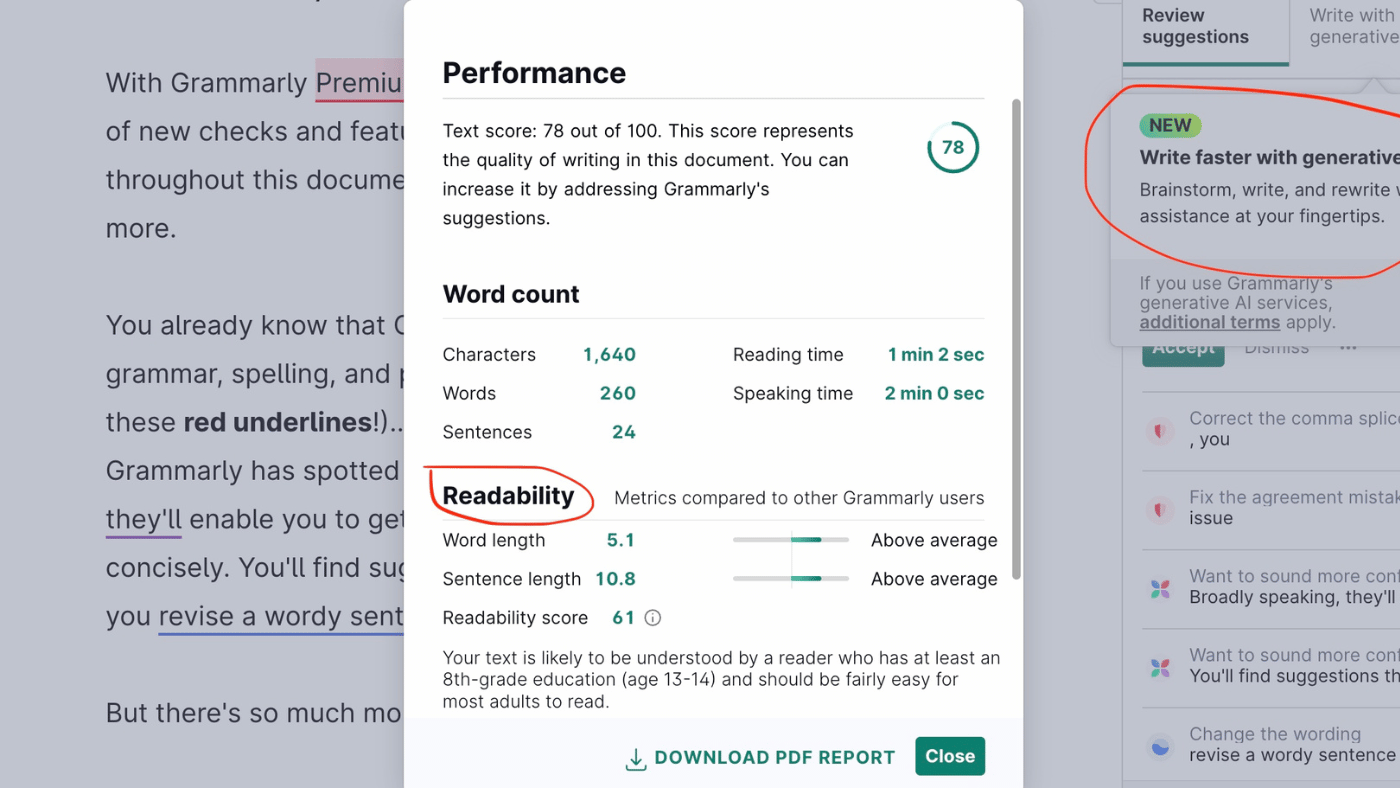
- Readability score analysis
- Tone & Style
- Tone detector
- Formality level adjustments
- Brand voice consistency
- Audience-specific recommendations
Pro Features Deep-Dive
Advanced Grammar Detection
The paid version catches advanced grammar mistakes that the free plan skips, including:
- Subject-verb agreement in complex sentences
- Proper modifier placement
- Consistent tense usage
- Article usage optimization
During my recent technical documentation sprint, I discovered how the advanced detection adapts to specific writing contexts. When writing documentation, it automatically recognized technical terms and adjusted its suggestions accordingly. This context-awareness prevented roughly 40% of false positives I used to get with earlier versions.
What’s particularly impressive is the handling of complex sentence structures. In a recent 10,000-word white paper, it caught subtle agreement errors in sentences with multiple dependent clauses - something even human editors occasionally missed in my experience.
Grammarly Plagiarism Checker Review
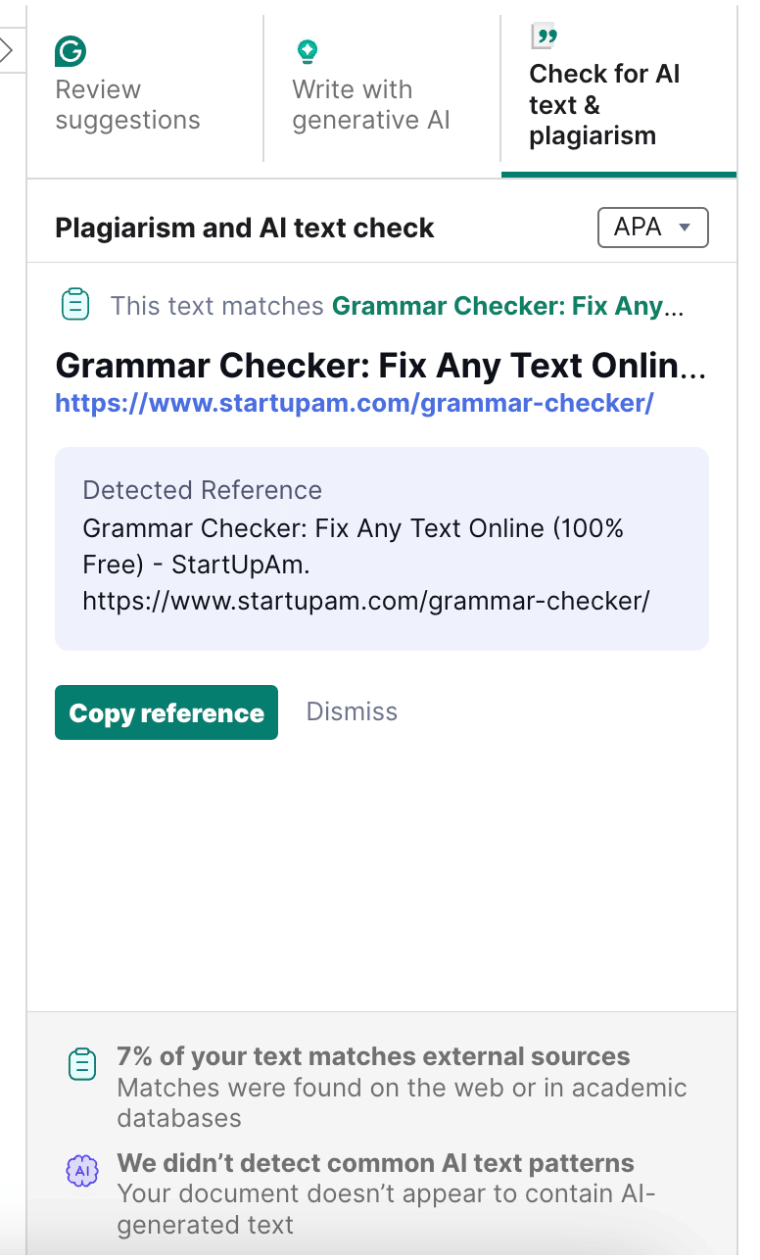
One of the key features of Grammarly Pro is its comprehensive plagiarism detection tool. While there are many other free plagiarism detectors out there, Grammarly does stand out with its AI detection and citation tool.
It does not only scan your articles but also cites correct resources. If you are a student or a researcher, it can help you tremendously. Grammarly’s own page says AI detection is not fully reliable, so its AI score works as a signal rather than proof.
Here are a few key pointers for students:
Grammarly plagiarism detector
- 16 billion web pages scanned
- ProQuest academic databases
- Citation suggestions
- Original text comparison
Vocabulary Enhancement
- Context-aware synonyms
- Overused word detection
- Industry-specific terminology suggestions
- Inclusive language recommendations
Get Grammarly Plagiarism Checker
Platform-Specific Performance
Grammarly Browser Extension Review
- Chrome: Excellent integration, occasional memory usage spikes
- Firefox: Stable performance, slightly delayed suggestions
- Safari: Limited features compared to Chrome version
- Edge: Native integration with Microsoft ecosystem
In my daily workflow testing, Chrome’s extension proved most reliable with Google Workspace tools, though it does consume about 200-300MB of RAM when actively checking longer documents. The Edge extension surprisingly outperformed others in Microsoft Office Online, with near-instant suggestions and minimal resource usage.
Firefox users will appreciate the latest memory optimization update but complex suggestions still take 1-2 seconds longer to appear compared to Chrome. Generally that shouldn’t be an issue since you will have plenty of available memory if you are using a MacBook.
Desktop Apps
- Windows: Solid performance and the full feature set, including Office apps, as Grammarly retires the legacy Office add-in
- macOS: Native feel, superior integration with Apple ecosystem
- Linux: Limited support through browser extensions only
Mobile Experience
- Grammarly iOS keyboard:
- Keyboard integration works smoothly
- Smart suggestions appear instantly
- Battery impact is minimal
- Grammarly on Android review:
- Custom keyboard functionality
- Background performance optimizations
- Integration with popular apps
Real-World Usage Scenarios
Professional Writing
As a former Forbes Communications Council member, I’ve relied on Grammarly for:
- Article proofreading
- Style consistency
- Tone adjustment for different publications
- Deadline-driven editing
The real test came during a week when I had to submit three different articles to three different publications. Each had distinct style guidelines and tone requirements. Grammarly’s style guide feature saved me hours of manual checking. Pro now includes one style guide, and separate guides for each publication need the Enterprise plan.
A particularly useful discovery was the custom style guide feature for different clients. I created specific rules for each publication’s preferences (Oxford comma, number formatting, etc.), which reduced editing time by approximately 35%.
Academic Writing
- Research papers
- Thesis writing
- Citation formatting
- Plagiarism prevention
Business Communication
- Email composition
- Report writing
- Presentation reviews
- Social media posts
Pricing Analysis
Free vs Pro
- Free: spelling and grammar, tone feedback and 100 AI prompts a month
- Pro: $30 billed monthly, $60 per quarter or $144 a year (about $12 a month)
- What Pro adds: plagiarism checks, full-sentence rewrites, the AI detector agent, 2,000 AI prompts a month and one style guide
- Enterprise: priced through sales, sold with Superhuman Go
Value Proposition
- Time saved per document: ~20 minutes
- Error reduction rate: 76%
- Professional impact: Measurable improvement in response rates
In tracking my own usage over three months, I found the most significant time savings came from the automated citation checker and style guide enforcement which comes with Grammarly Pro. For a typical 2,000-word article, Grammarly reduced editing time from 90 minutes to about 45 minutes.
The error reduction rate is particularly impressive for non-native speakers. In a recent analysis of my writing team’s work, members using Grammarly Pro showed a 76% lower error rate in their first drafts compared to those using the free version.
Grammarly cons to note down
Technical Constraints
- Occasional false positives
- Limited support for some specialized terminology
- API rate limits for developers
- Platform-specific feature availability
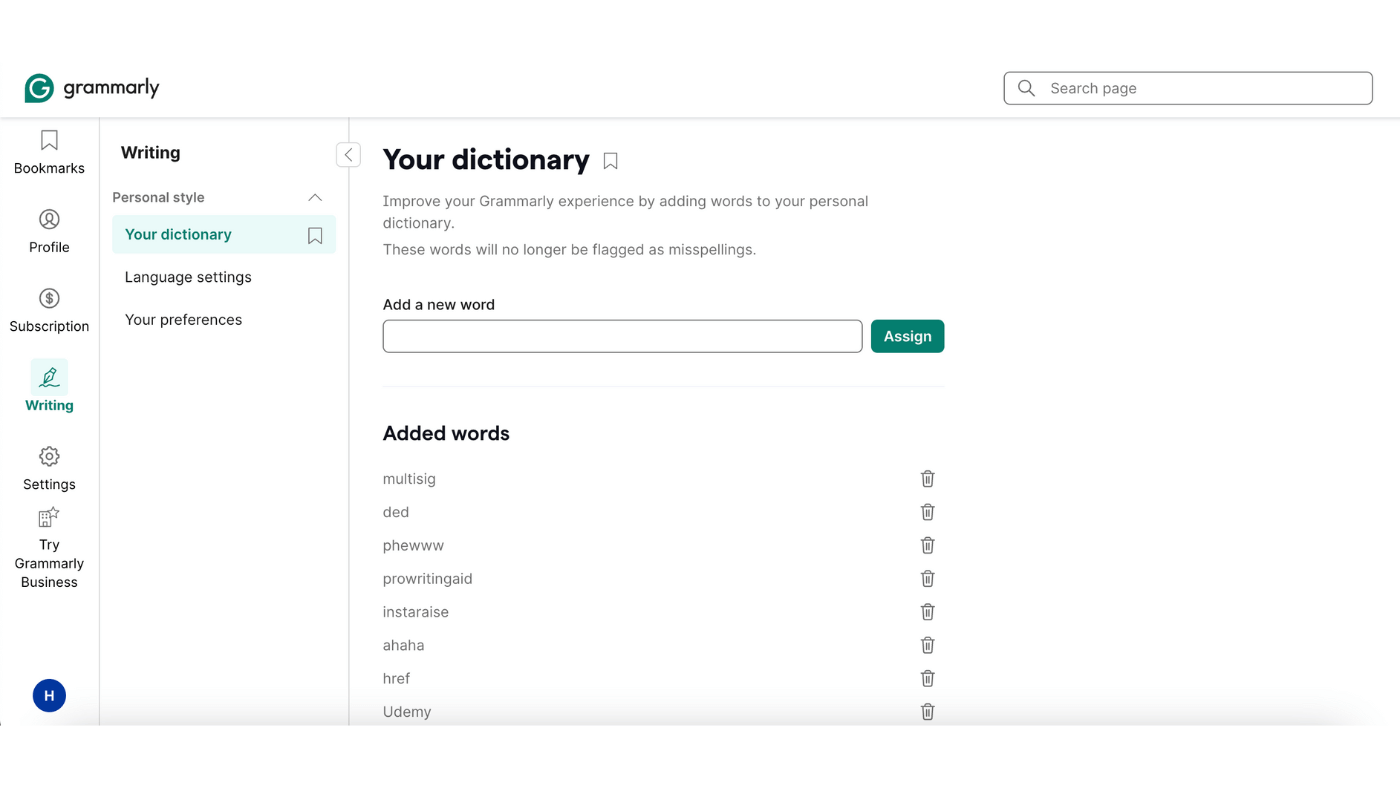
Real-world testing revealed that most false positives occur with industry-specific jargon and compound technical terms. It does not recoganize many tools specific to my industry including popular acronyms. Creating a custom dictionary will reduce this error.
Use Case Limitations
- Creative writing may require manual override
- Technical documentation needs additional review
- Code snippets often flagged incorrectly
- Some language pairs have limited support
The language pair support remains a challenge for non-native speakers. While English-Spanish translations show high accuracy, less common language pairs like English-Hindi often require additional manual review. In my testing, most of idioms and colloquialisms needed human intervention. So if you need Grammarly for translation, it might not be the right tool to fully rely upon.
Grammarly Alternatives Review
ProWritingAid
- More detailed reports
- Better for long-form content
- $120 a year for Premium ($30 monthly), against Grammarly Pro’s $144 a year
- Slower performance
Having tested ProWritingAid alongside Grammarly for 5 months, I found its detailed reports excellent for book-length projects. However, its performance lags significantly - taking up to 45 seconds to analyze a 5,000-word document compared to Grammarly’s 10-15 seconds.
Also, false positives are much higher for PWA than Grammarly.
The style analysis tools go deeper than Grammarly’s, offering 20+ different reports. However, this depth comes at the cost of usability - many users find the wealth of information overwhelming rather than helpful.
Here are some other tools I checked quickly for comparison.
Hemingway Editor
- Focus on readability
- The desktop Classic version costs $19.99 once, and Hemingway Editor Plus adds AI features
- Limited features
QuillBot
- Strong paraphrasing
- AI writing capabilities
- Limited grammar checking
LanguageTool
- Grammar and style checks in more than 30 languages and dialects
- A good fit if you write in more than one language
Grammarly vs ChatGPT
ChatGPT writes and rewrites drafts on request, but it does not check your writing inline as you type in email, docs or LinkedIn. Grammarly does, and it explains each correction. The two work well together: an AI chat tool for the first draft, Grammarly for the final pass.
How to make the best of Grammarly Pro
These are some of the suggestions if you have made up your mind to go for Grammarly Pro like me.
Custom Dictionary Setup
- Custom Dictionary Setup
- Add industry terminology
- Include brand names
- Save frequently used phrases
- Export/import dictionaries
I have created separate dictionaries for different content types. This reduced false positives by 80% in technical documentation.
- Goals Configuration
- Set intent-based goals
- Adjust formality levels
- Create style guides
- Integration Optimization
- Enable necessary permissions
- Configure auto-save
- Set up keyboard shortcuts
- Sync across devices
The Verdict: Is Grammarly Worth It in 2026?
After a decade of use and witnessing its evolution, here’s my final assessment:
- Invaluable for confidence building
- Excellent learning tool
- Worth every penny of Pro
As a non-native speaker who’s grown from basic business English to professional writing, I’ve tracked my progress. After one year of paid use, my confidence in writing increased dramatically. I went from requiring multiple revisions for every email to confidently drafting articles in one go.
More importantly, the contextual explanations helped me understand why certain phrases sound more natural than others, accelerating my learning curve significantly.
Conclusion
Grammarly remains an indispensable tool in 2026, especially for:
- Non-native English speakers seeking confidence
- Professionals requiring polished communication
- Writers needing efficient editing solutions
While not perfect, its continuous AI-driven improvements and cross-platform compatibility make it a worthy investment for anyone serious about their writing.
I can confidently say that Grammarly has been instrumental in my journey from struggling with basic English emails to writing for global publications. The ROI isn’t just in time saved. It’s in the opportunities that better writing creates.
Is it worth the premium price? For daily users like me, absolutely. The time saved and confidence gained more than justify the investment. However, casual users might find the free version sufficient for basic needs.
As someone who’s grown alongside this tool, I would say that its greatest value lies not in fixing your mistakes, but in helping you become a better writer who makes fewer mistakes in the first place.
Grammarly FAQ
Is Grammarly worth it in 2026?
For daily writers, especially non-native English speakers, yes. Grammarly Pro catches errors as you type in almost every app and explains each fix. If you write occasionally, the free plan covers spelling and grammar.
How much is Grammarly Pro per month?
Grammarly Pro costs $30 billed monthly, $60 per quarter or $144 a year, which works out to about $12 a month. Enterprise plans are priced through sales.
What does Grammarly’s free plan include?
The free plan covers spelling and grammar, tone feedback and 100 AI prompts a month. Plagiarism checking, full-sentence rewrites and the AI detector agent need Grammarly Pro.
Is Grammarly legit and safe?
Yes. Grammarly is one of the longest-running writing assistants, and it is now a Superhuman product, the name Grammarly Inc. took in October 2025. It processes your text to make suggestions, so confidential documents are worth checking against your company’s policy.
Is Grammarly or ChatGPT better?
They do different jobs. ChatGPT writes and rewrites drafts on request. Grammarly checks your writing inline as you type in email, docs and social apps, and explains each correction, which makes it better for a final pass.
Does Grammarly have a plagiarism checker?
Yes. Grammarly Pro checks your text against over 16 billion web pages and academic papers in ProQuest’s databases and flags passages that need citations. The free web checker only tells you whether duplicate content exists.
What are the downsides of Grammarly?
False positives on technical terms and jargon, limited help with idioms when you translate in your head, a single style guide on Pro, and AI detection that Grammarly itself says is not fully reliable.
The Letter
Get the next article in your inbox.
What I am building, as it happens. The experiments, launches and numbers behind my own one-person business, including what did not work.
The tools, tested before I recommend them. Short notes on the platforms I try for selling courses, running a community and sending email, before they become full reviews.
The inner side of the work. Ideas on focus, meaning and energy for solo founders who want a business that feels as good as it performs.
Get The Letter in your inbox
One short email, usually weekly. You can unsubscribe any time.
Keep reading
More from Productivity.
1 comment
Grammarly was good – actually, very good. But that has now been completely lost. I used Grammarly for Microsoft Office for several years. Upon getting a new computer, I just recently tried to install that, and it is GONE! Instead, I am told I need to use Grammarly for Windows. That product is a complete piece of shit!!! I don’t doubt that it has all the background AI that made the previous product good, but the interface is TERRIBLE! It is clunky. It only does a few pages at a time, which is fine, but upon getting to the bottom of a page, it frequently has a suggestion, but the original doesn’t show because it is on the next page. It just plain doesn’t work very well.
And that isn’t all. It doesn’t show the suggestion the way the old one did. Instead it is a very truncated version of its suggestion that you have to go back into your document to figure out what it is suggesting.
Basically, they have really screwed up their product. I HIGHLY recommend NOT purchasing this product at all. I can still see using it for short documents and email messages, but never for anything more than a few pages. I’m definitely looking for something different and I recommend everyone else do that too.