Skool vs Circle.so Comparison: After Testing Both in 2026

Skool and Circle.so are two top community building platforms among course creators and community builders. If you are planning to launch an online community for your online course, coaching or an online business, there are too many platforms out there: Mighty Networks, Kajabi, Heartbeat and Skool.
I’ve used Circle.so since 2024, and I spent some time helping some online creators set up their online community on Circle.
I have hosted my community on Skool since 2022, after getting frustrated by other platforms, and I was one of its beta testers.
And I will be very frank: I am not going to claim one of them is the best platform. I will give you the facts so you can make this choice by yourself.
Affiliate disclosure: Some links on this page are affiliate links. If you buy through them, I may earn a commission at no extra cost to you. I will appreciate if you use them.
Skool is Generally a good platform but…
Skool is becoming an all-in-one platform designed to help creators build and monetize online communities. As much as people promote it everywhere, Skool is not for everyone. Skool can be a right platform for consultants and coaches with primary focus of creating paid communities.
As an early tester of Skool, I’ve seen the platform evolve and improve over time. These are some interesting features of the platform:
- Community building: Skool allows you to create a community space where members can connect, share ideas, and collaborate.
- One-time payment courses: Yes! you can host online courses inside your “classroom” and charge for them. Like I am doing it in my Skool community.
- Monetization: You can monetize your Skool group with premium subscriptions, courses, and premium live events. This can be done with in-app subscriptions and one-click checkouts.
- Integration: Skool connects to email marketing software and other tools through its Zapier plugin, which is only on the Pro plan. These options are mostly limited to enrolling people in the community.
- Gamification: One of the strongest element of Skool is a powerful gamification and leaderboard system. It helps community managers with maintaining high engagement.
- Skool Games: Skool community owners can join the Skool Games, a competition with Alex Hormozi where groups climb a leaderboard by revenue growth. Under the 2025 rules, top groups won a mastermind day with Hormozi.
- Integrated webinars and meetings: Skool lets you host community meetups and webinars (on Pro) from within the platform. This makes it easy to engage people beyond static text posts.
If you are looking to create a community on subscription model, Skool actually offers the right place for it. But is this really better than Circle? Not exactly…
What Circle adds over Skool
Circle is a flexible and scalable platform designed to help creators build and engage with online communities. The platform has been in the space for a while.
Circle has a wider feature set than Skool, though it has no level unlocks and processing is not included in its fees:
- Community building: Circle offers a range of community building tools, including discussion spaces, a member directory, and event management.
- Content creation: Circle provides courses, live streams, live rooms and video hosting.
- Monetization: Circle offers paid memberships, courses and events, with coupons, bundles, free trials and payment plans.
- Integration: Circle connects with Zapier on every plan, and adds its admin API and Integrately from the Business plan.
Skool vs Circle: Key Features Comparison
Before you decide to go for Skool or Circle, you need to understand the core features required to build a thriving online community around your brand.
Have a look at this table for example:
| FEATURE | SKOOL | CIRCLE |
|---|---|---|
| Monetization | Subscriptions, tiers, one-time courses, member affiliates (Pro) | Paid memberships, courses, events, coupons, bundles, payment plans |
| Integration | Zapier plugin on Pro, limited triggers | Zapier on every plan, API and Integrately from Business |
| Community Building | All-in-one community space | Flexible and customizable community building tools |
| Content Creation | Courses, live streams, discussion forums | Courses with quizzes, live streams, live rooms, video hosting |
| Pricing | $9/month (10% + 30¢ fee) or $99/month (2.9% + 30¢) | From $89/month billed yearly, plus 2% and Stripe’s fee |
| Your own domain | No (custom skool.com URL on Pro) | Yes, on every plan |
| Discovery | Skool Discovery directory | Circle Discover (opt-in, newer) |
Circle used to have a cheaper $39/mo plan and was easy to get started. However, it is now focusing on creators with existing audience, and its entry plan is Professional at $89 a month billed yearly. Skool has a much lower barrier to entry with $9/mo plan which is suitable for new creators as well.
Skool vs Circle pricing and fees
Both platforms also take a cut of what your members pay, and they handle card processing differently.
What each costs at $2K, $5K and $10K a month
These figures assume $50 payments from US cards, Circle’s yearly prices, and Skool at its monthly price:
- Skool Pro: about $169 at $2,000 a month, $274 at $5,000 and $449 at $10,000
- Circle Professional: about $199, $364 and $639
- Circle Business: about $289, $424 and $649
- Skool Hobby: about $221, $539 and $1,069
On $5,000 a month in member revenue, Skool Pro leaves you about $4,726 and Circle Professional about $4,636 after plan and fees.
Skool Pro is the cheapest option at all three levels. Skool Hobby only makes sense below about $1,270 a month, and Circle Business only beats Circle Professional above about $11,000 a month. Among the main Skool alternatives, only Whop, Systeme.io and Podia Shaker can cost less than Skool Pro, and none of them is built community-first.
Try Skool for free for 14 days
Comparing Skool and Circle for use case
So, when should you use Skool, and when should you use Circle? Here are some use cases to consider but you do not need to limit yourself with them:
- Skool community:
- Online courses and coaching programs
- Membership sites and subscription-based models
- Community-driven businesses and startups
- Creators with private content.
- Circle.so community:
- Discussion forums and social networks
- Event management and community engagement
- Businesses and organizations with complex community needs
- Brands that want their own domain and design
Circle vs Skool for courses
Neither is a full course platform. Skool’s classroom keeps courses one click from the feed. You can unlock a course by level, after a set time, through a one-time purchase or by hand. Level unlocks tie lessons to engagement: members who earn likes on posts and comments level up and unlock more.
Circle puts courses in their own spaces, with quizzes and a more structured layout. It suits a program where the course is the main product and the community supports it. Neither platform offers native completion certificates.
If courses are the heart of your business, a course-first platform like Teachable adds certificates, student apps and deeper course tools.
Branding and your own domain
Circle runs on your own domain on every plan, lets you add custom CSS, and removes its branding entirely from the Business plan. Circle Plus adds iOS and Android apps under your own name. Circle Plus is custom-priced, so check the current terms on Circle’s pricing page.
Skool keeps every group inside Skool. Pro gives you a custom skool.com address, but not your own domain, brand colors or fonts. Members see Skool’s design and can browse other groups.
Skool’s network can send you members, which a fully branded Circle community mostly finds through its own marketing.
Discovery: who brings you members?
Skool Discovery is a directory of groups, ranked by growth, engagement and retention, that pass Skool’s minimum for members, posts and activity. Growth Boost can also promote your group in Discovery and off-site ads for a commission (30% in Skool’s example) on members it brings, for as long as they stay.
Circle launched its own Discover marketplace, which routes people to communities and courses. It is opt-in, creators apply to be listed, and it is newer than Skool’s. On Circle, growth still depends mainly on your own marketing.
Live events, email and automation
Both platforms run live sessions inside the community. Skool includes unlimited live calls on both plans, with webinars on Pro. Circle includes live streams and live rooms on every plan, with caps by plan (100 attendees and 10 hours a month on Professional).
For email, Skool can broadcast a post to all members in one click, with no sequences or segments. Circle sells the Email Hub as a $99/month add-on. Circle also has workflows from the Business plan, while Skool’s automation runs through its Zapier plugin on Pro.
If email and automation drive your sales, Circle (or a separate email tool next to Skool) fits better. On Skool, that usually means building an email list in a separate tool and connecting it through the Zapier plugin.
Skool vs Circle: Good, bad and ugly
So might wonder, which one is good and which one is bad? Well, the answer is, a question: What are you looking for?
After using both Skool and Circle, I’ve identified some key points that you should consider before picking any of them. Feel free to add more in the comments if I have missed any:
Skool Pros:
- Easy to use and set up
- All-in-one community space
- Strong gamification.
- Private Skool community builders community
- Active Skool Games program. A dedicated competition to make money with Skool.
Skool Cons:
- Limited customization options
- No own domain, brand colors or fonts
- Limited analytics and reporting (Skool now shows group growth and traffic sources in its admin)
Circle Pros:
- Highly customizable and flexible
- Scalable and suitable for large communities
- Strong integration with popular tools and platforms
- Your own domain on every plan
Circle Cons:
- Steeper learning curve
- Costs more than Skool Pro at every revenue level I modeled
- Confusing user interface. I interviewed a few users who migrated from Circle to Skool and realized the key reason to make this shift was the confusing interface of Circle.
In my personal experience, I did not find Circle confusing to use. And, Skool does offer a cleaner interface and a more intuitive user experience.
Try Skool for free for 14 days
Community Management on Skool and on Circle
When it comes to community building, both Skool and Circle offer unique features and advantages. Here’s a more in-depth comparison:
- Skool: Skool’s all-in-one community space is ideal for creators who want to build a tight-knit community around their brand or business. Skool’s community-building features include discussion forums, live streams, and courses.
- Circle: Circle’s community-building tools are highly customizable and flexible, making it ideal for creators who need to build complex community structures. Circle’s community-building features include discussion spaces, member directories, and event management.
Integration capabilities on Skool and Circle
Integration is a critical aspect of building and sustaining an online community. Here’s a comparison of Skool and Circle’s integration features:
- Skool: Skool connects with email marketing software and other tools through its Zapier plugin on the Pro plan. The only challenge is that it offers integration only through Zapier or webhooks. Also, there are limited hooks available on the platform.
- Circle: Circle integrates with a range of popular tools through Zapier on every plan, and through its API and Integrately from the Business plan. Circle’s platform is ideal for creators who want to integrate their community with a wide range of tools and platforms.
Moving from Skool to Circle (or back)
Courses and posts can be rebuilt, but paying members usually have to re-subscribe, because each platform runs its own payments.
A switch goes better with a clear date, a reason members care about, and a few weeks with both spaces open. Moving at a natural break, like the end of a cohort, keeps churn lower than a sudden move.
Member lists move by export, while content moves lesson by lesson. Keeping the old space open until paying members have re-subscribed is how you move from Skool without losing members.
If neither fits, Heartbeat is the third platform I would look at. Its Build plan costs $40 a month billed yearly plus 5% of sales, which undercuts Circle Professional until member revenue reaches about $1,600 a month.
Which one would I pick for you?
- You are starting your first paid community: Skool, on Hobby, then Pro once revenue passes about $1,270 a month.
- You already have an audience and a brand to protect: Circle, on Professional, with your own domain.
- Engagement is the product: Skool, for its leaderboard and level unlocks.
- Structure is the product (many topics, tiers and events): Circle, for its spaces and workflows.
- You want members from outside your audience: Skool, for Discovery.
Conclusion
I personally use Skool for building my community but Circle is also not a bad option. I love Skool’s simple, intuitive interface and focus on what really matters: engagement and monetization. But this can not be the case for everyone.
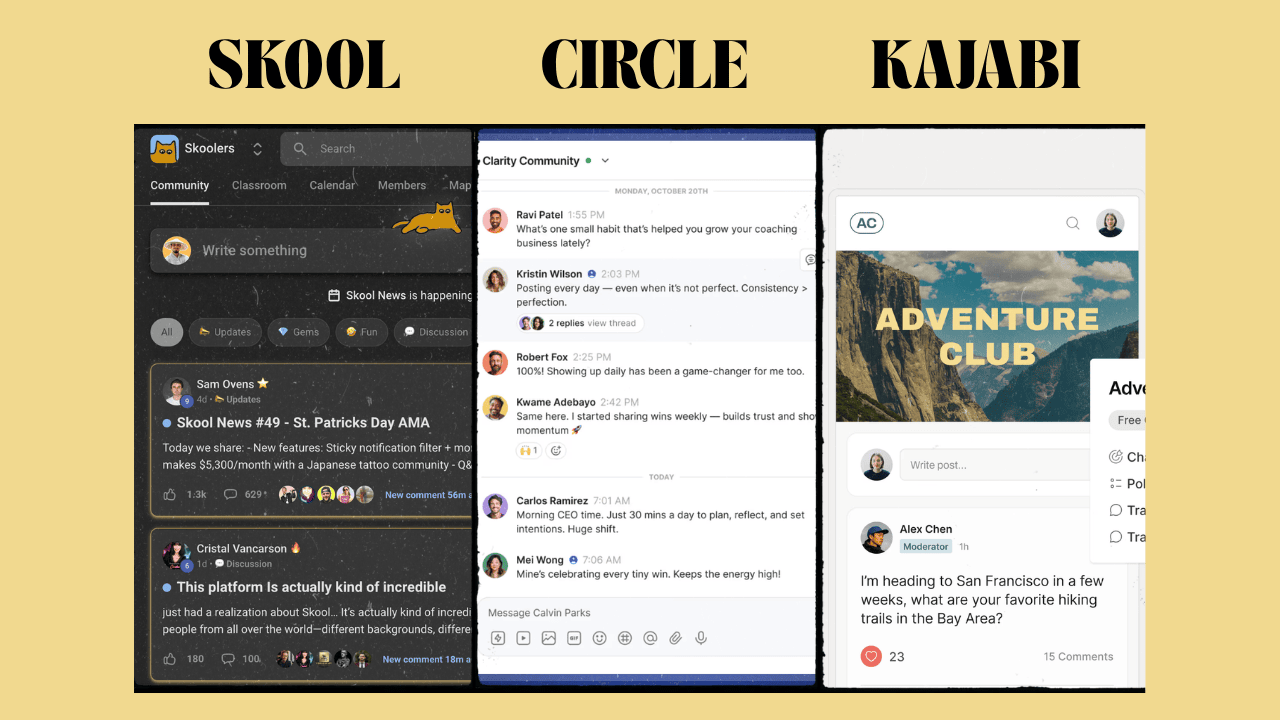
If you’re looking for a creator focused community space with strong monetization options, Skool may be the best choice. However, if you need a more flexible and customizable platform that can scale your community-driven business, Circle is worth considering. Kajabi, the other name on many shortlists, starts at $143 a month billed yearly and puts courses and email ahead of the community, which makes it the priciest of Skool, Circle and Kajabi.
Further Reading
- Skool Games: Grow and monetize your Skool community through the Skool Games competition run by Alex Hormozi. It runs inside Skoolers, Skool’s group for community owners.
- Circle: Visit Circle’s website and learn more about their platform and community building tools.
- Build a Community Funnel: (Need to join the community) Learn how to build and monetize your community.
Skool vs Circle FAQ
Is Skool better than Circle for paid communities?
For most coaches and creators starting a paid community, yes. Skool Pro is cheaper at every revenue level I modeled, its gamification keeps members active, and its Discovery directory can send you members. Circle is better when you need your own domain, branding and more structure.
Is Circle more expensive than Skool?
Yes. At $5,000 a month in member revenue, Circle Professional costs about $364 a month with its 2% fee and Stripe processing, against about $274 for Skool Pro, which includes processing.
Which is better for courses, Skool or Circle?
Neither is a full course platform. Skool’s classroom is simpler, with level, time and purchase unlocks that tie lessons to engagement. Circle’s courses add quizzes and sit in their own spaces. Neither offers native certificates.
Can I use my own domain on Skool or Circle?
Circle lets you use your own domain on every plan and removes its branding from the Business plan. Skool only offers a custom skool.com address on its Pro plan, not your own domain.
Which has a free trial, Skool or Circle?
Both offer a 14-day free trial. Circle’s needs no credit card. Skool’s trial leads into its $9 Hobby or $99 Pro plan.
Can I move my community from Skool to Circle?
Yes, but paying members usually need to re-subscribe, because each platform runs its own payments. Content, courses and member lists move by hand or by export, so a planned switch with a clear date works better than a sudden move.
Any questions? Feel free to ask in the comment box.
The Letter
Get the next article in your inbox.
What I am building, as it happens. The experiments, launches and numbers behind my own one-person business, including what did not work.
The tools, tested before I recommend them. Short notes on the platforms I try for selling courses, running a community and sending email, before they become full reviews.
The inner side of the work. Ideas on focus, meaning and energy for solo founders who want a business that feels as good as it performs.
Get The Letter in your inbox
One short email, usually weekly. You can unsubscribe any time.
Keep reading
More from Community building.

2 comments
With people asking questions about multiple courses, does Skool’s all-in-one community area become a huge mess?
Generally, it does not. depending on how you use it. But if you are comparing it with Circle, It is easier to use. Skool allows you to embed specific community posts into your course that can be used for the specific discussions. Does it answer your question?