I Tried Heartbeat.Chat: Here Is What I Think (Complete Review)

Heartbeat puts community, courses, events and payments in one place, but its 5% entry-plan fee and Stripe-only payments decide who it suits. Community building is delicate work, especially if you are a creator with an existing audience you want to monetise.
I have been helping companies and creators build their communities for the last 9 years. So when I joined a community on Heartbeat, I went deep into the research for this brutally honest review.
Heartbeat.Chat Review TL;DR:
Solid choice for coaches and course creators who want community, courses, and payments in one place. Better value than Circle for small structured programs. Not the right fit for pure conversation-based communities.
Best for: Cohort-based courses, coaching programs, paid membership communities with structured learning
Latest Pricing: $49/mo (Build, up to 350 members) · $149/mo (Grow, up to 5,000) · $849/mo (Scale, unlimited), all with a 14-day free trial
Standout features: Cohort-based and evergreen courses, Pulse AI co-builder, automation workflows, native mobile app, events with Zoom recordings synced back
Main limitations: Stripe-only payments, a 5% fee on the entry plan, no recording in Heartbeat’s own call rooms, chat-style feed (not forum-style)
How it compares: Cheaper than Circle for small groups (under about $1,600 a month in sales), with stronger automation; deeper course tooling than Skool.
Rating: 4.2 / 5
Heartbeat.chat is an all-in-one community platform built for coaches, course creators, and membership businesses.
It combines community discussions, cohort-based and self-paced courses, live events, member payments, and automation workflows inside one platform without any third-party tools to hold it together.
I compared Kajabi and Skool in the past and Kajabi is kinda close to what Heartbeat is doing… except, Heartbeat costs $49/mo and Kajabi starts at $143 a month billed yearly.
This is my experience with Heartbeat as a community owner and a member. I have also compared it to other platforms like Skool and Circle so you can make an informed decision.
There is a moment most coaches and course creators hit: you are running sessions on Zoom, sending updates through email, hosting course content on Teachable, managing conversations on Facebook Groups or Discord, and trying to keep everything together through a combination of willpower and browser tabs. It works, barely.
But it is fragile, exhausting, and nothing about it feels like a real product you are proud of.
And Heartbeat aims to fill this gap.
Heartbeat is not the cheapest all-in-one community platform, and it is not the most feature-heavy one either. What it sets out to do is replace that stack: community, courses, events, payments and automation under one platform. A solo creator or small team can run it without a full-time ops person behind it.
The question is whether it actually delivers on that, or whether it is just another community tool dressed up in bigger promises.
Affiliate disclosure: Some links on this page are affiliate links. If you buy through them, I may earn a commission at no extra cost to you. I will appreciate if you use them.
What Heartbeat Is Actually Trying to Do
Most platforms in this space pick a lane. Circle, for example, leans into design and brand. Skool leans into simplicity and gamification.
Mighty Networks focuses on engagement and social features. Heartbeat, to its credit, tries something harder, it attempts to hold courses, community, live events, and monetization together in one place without any of them feeling like an afterthought.
Heartbeat has a structure for a live cohort-based program, a self-paced course with an ongoing community attached, or a recurring membership that includes coaching calls and resources.
Members can move between a discussion channel, a course lesson, an event RSVP, and a direct message without ever leaving the platform.
This is a genuine advantage, especially when you consider how much friction lives in tools that do not talk to each other. When a student finishes a lesson and wants to share that in the community, or when someone joins through a paid checkout and is automatically enrolled in an onboarding workflow.
The alternatives require Zapier automations, third-party integrations to achieve something similar.
But let’s understand how the setup experience feels like and compare it with other apps.
Heartbeat Setup Experience and Pulse AI Feature
Starting on Heartbeat is easy compared to what most platforms put you through.
There are templates for different community types (coaching programs, mastermind groups, courses) that give you a working skeleton to kickstart a community. The walkthrough is video-based, not just a help article, and the admin interface is logical enough that you can figure out most things without opening a support ticket.
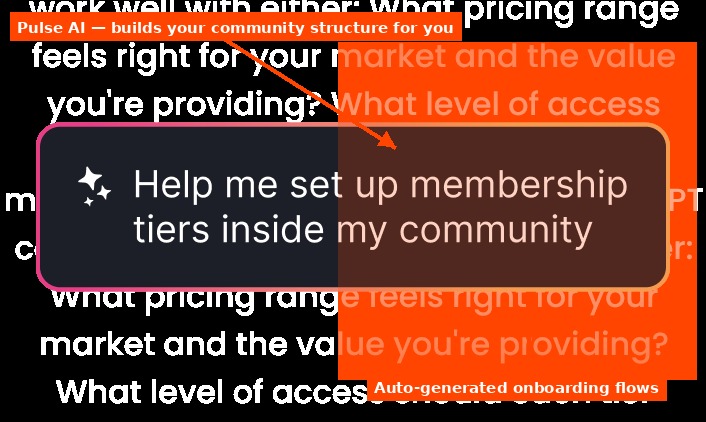
And then Heartbeat also has an AI co-builder called Pulse.
Most platforms have started bolting AI features onto their product without it being particularly useful. Pulse is more considered than that.
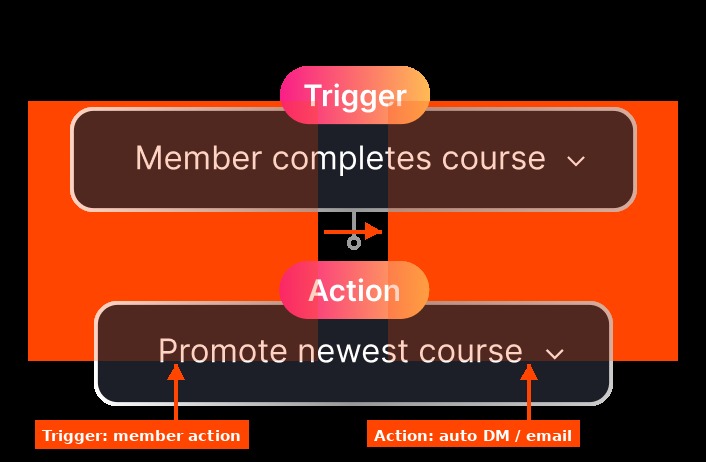
When you are setting up a new community, Pulse can build channels, courses, offers, sign-up pages and workflows from a prompt. It also drafts onboarding messages and automated DM flows that go out when someone joins, completes a lesson, or misses an event.
It also nudges you on what content to post in the first 30 days to keep early momentum going.
Now it’s not like your personal AI assistant for everything. The limitation is that it works best as a starting point, not a co-pilot you run the whole thing through.
Pulse AI does not know your audience deeply enough to replace your judgment on content strategy, and the suggestions can feel generic if you are building something that does not fit a standard coaching template. But for a first-time community builder who would otherwise spend days figuring out how to structure the space, having a working framework generated in ten minutes is genuinely useful.
Heartbeat’s AI co-pilot is one of those features that sounds like a gimmick until you actually use it.
And then you also have a mobile app which is worth a mention here because most platforms have one and most of them are genuinely bad. Heartbeat’s iOS and Android app is functional, easy to navigate, and members actually use it.
Try Heartbeat’s Community Co-pilot
For an online community to feel alive, people need to check in without being at their desk. The app makes that possible, and for a paid membership community, that kind of passive daily presence from members is worth more than it sounds.
The Course Hosting Review of Heartbeat
Most community platforms add courses as another feature. This is something I often feel while using Circle. Heartbeat builds around them. There is a meaningful difference between the two.
You can run two distinct course structures on the platform. Evergreen courses work the way most people expect. Lessons drip over time, students move at their own pace, and you set it once and it runs.
Cohort-based courses are where Heartbeat earns its keep. These run with a fixed start and end date, live sessions can be attached to specific modules, homework assignments can be submitted and reviewed inside the platform, and the whole thing moves with a group of students rather than individuals in isolation.
For coaches running structured 8-week programs, live challenges, or certification tracks this is genuinely better than what most tools offer at this price point.
The assignment submission and review flow especially, which tends to be a complete afterthought on other platforms, is actually usable here. Students submit, you review, you respond. No external form tools, no email chains.
But there is a limitation worth knowing. In March 2026, I could not comment directly on individual course lessons.
When I tested it, a student with a question about a specific video or reading had no thread on that lesson and had to ask in the community channels. Heartbeat’s homepage now lists discussion attached to each lesson. If lesson-level discussion matters to your course, the current lesson view is worth checking during your trial.
Heartbeat Pricing in 2026: Plans, Fees and What You Actually Pay
Heartbeat’s pricing looks approachable at first glance. The Build plan starts at $49 a month (or $40 on annual), the Grow plan is $149 ($124 annually), and Scale jumps to $849 ($766 annually). But the part that actually matters for your decision is in the details.
The Build plan caps you at 350 members. That is not a lot of room if you are growing, and the jump to Grow at $149 is a meaningful step up. What makes this more complicated is the transaction fee structure: 5% on Build, 2.5% on Grow, 1.25% on Scale.
That percentage comes out of every payment your members make, on top of Stripe’s processing fee, typically 2.9% plus 30 cents per transaction for US cards. If you charge $97 a month and you are on the Build plan, you are giving away just over 8% of that revenue before you pay yourself anything.
The honest read here is that Heartbeat makes more financial sense at the Grow tier, not the entry plan. Build is a reasonable place to start and validate before you commit, but once you are past 100 paying members and charging meaningfully, the transaction fees add up fast enough to justify moving up early. You can check the current plan details on Heartbeat’s pricing page before committing to either tier.
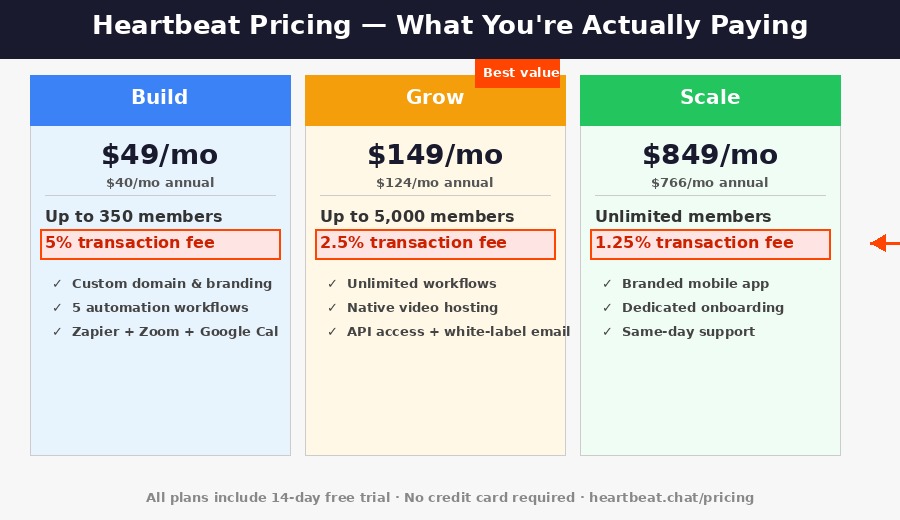
A few costs sit outside the plan price. Native video hosting is a $19/month add-on on Build (50 hours). Build includes 5 automation workflows, while auto-responders and DM rules start on Grow. The white-label iOS and Android app is a Scale feature.
Another good point Heartbeat has is you can try it without credit card. So you are not locked in case you forget. And it gives you more freedom to explore and prepare before going in. Communities that are not upgraded after the trial are deactivated, and deleted after 30 days of inactivity.
Heartbeat vs Circle: Is It Better?
Circle is the platform Heartbeat gets compared to most often, and it is an honest comparison. They are targeting the same people: creators and coaches who want a professional paid community, not a Discord server.
Circle is cleaner. The UI is more polished, the design gives your community a premium feel, and the feature velocity has been impressive as hundreds of user-requested features shipped in the last year alone.
If your community’s first impression matters as much as what happens inside it, Circle has a genuine edge in aesthetics. Brands that want everything to feel like a properly designed product tend to land there, and they are right to.
But is it better than Heartbeat?…
For coaches running structured programs, the answer is no. The reason is what each plan includes for that work: cohort courses, assignments and automation sit deeper in Heartbeat, and Circle’s Professional plan has no workflows at all.
Circle’s Professional plan costs $89 a month on yearly billing, with unlimited members and a 2% transaction fee. And in terms of features, it is almost similar to Heartbeat. To get white-labeling and workflows, you are looking at their Business tier at $199 with a 1% fee.
Heartbeat’s Build plan is cheaper while your community is small, because its plan price is lower ($40 vs $89 billed yearly). But Heartbeat’s 5% fee is higher than Circle’s 2%, so Circle Professional becomes the cheaper option once member revenue passes about $1,600 a month.
Heartbeat’s automation and workflow tools are also stronger at the equivalent price point. Automated DMs triggered by member behavior, onboarding sequences, event reminders that fire without manual work.
Circle has some of this, but Heartbeat built it in more deeply, and Circle’s workflows only start on its $199 Business plan. For a one-person coaching business where you cannot manually manage every touchpoint, that automation matters more than most people realise before they are in the middle of managing a 200-person cohort.
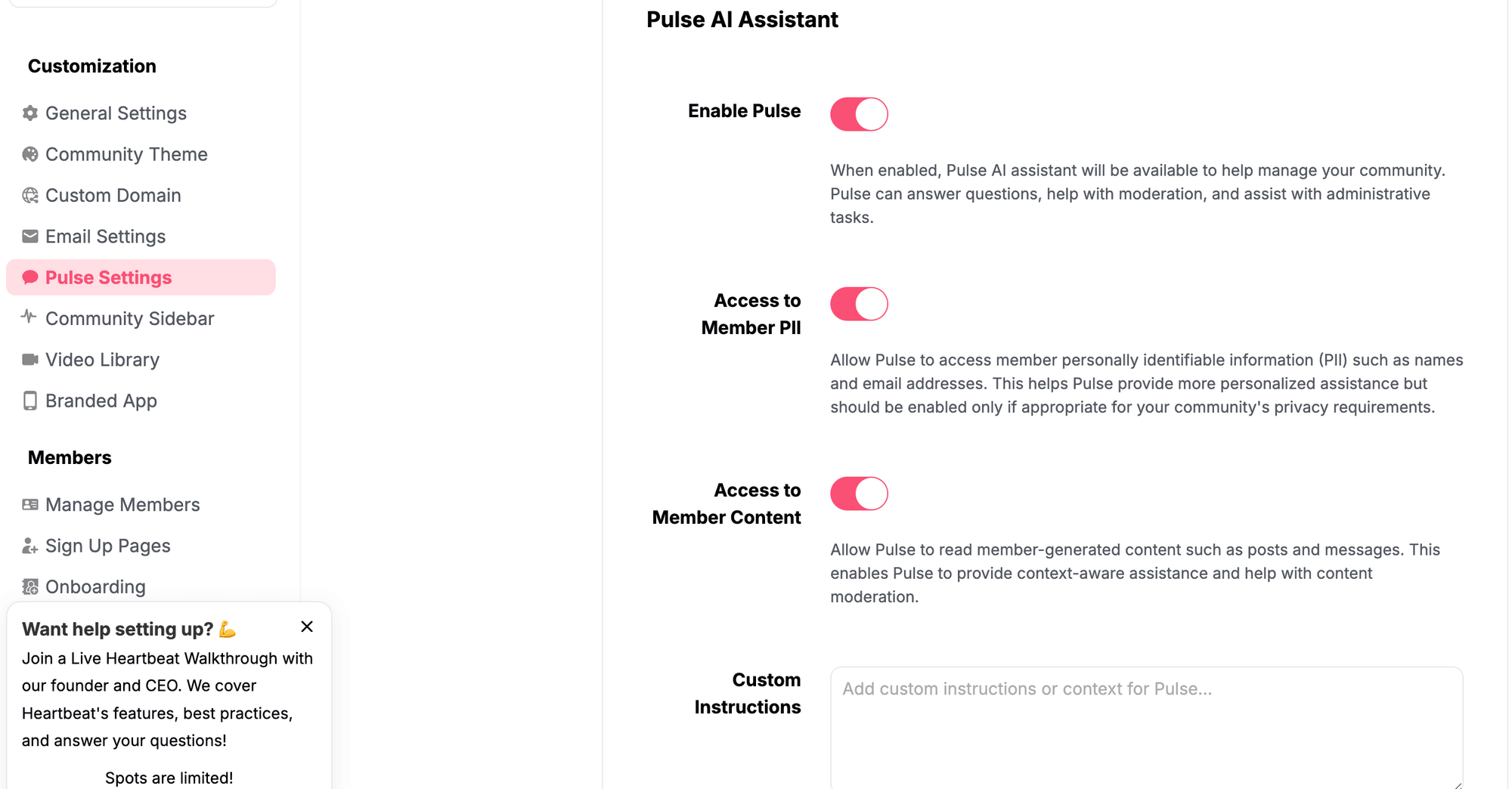
Circle AI is on every plan (2,500 credits a month on Professional and Business), but its AI agents need the $419 Scale plan, and email marketing is a $99/month add-on. Heartbeat’s plans come integrated with Pulse AI community co-pilot.
If brand presentation is your primary concern and you are willing to pay for it, Circle is the right app for you. However, if you are focused on running structured programs efficiently while your community is still small, Heartbeat is the stronger choice at that price point.
Heartbeat vs Skool: A Different Kind of Trade-off
Skool is a different conversation entirely. It costs $9 or $99 a month, with unlimited members on both plans. Skool keeps 10% + 30¢ per sale on the $9 plan and 2.9% + 30¢ on the $99 plan, card processing included, while Heartbeat adds Stripe’s fee on top of its own. For sheer simplicity, nothing in this space comes close. You can launch a Skool community in an afternoon and it will work.
The gamification is also genuinely effective. Points, levels, and leaderboards create an engagement loop that keeps members coming back. If you are building a paid membership community where showing up daily and participating is the whole product, Skool creates real momentum around that behavior.
But Skool is not built for structured programs. The course experience is minimal, and cohort-based learning is not a native concept on the platform. The community feed is essentially one long running list of posts. Skool also has no assignment flow, no real course analytics, and automation is essentially not the major part of the platform.
Heartbeat offers a dedicated AI co-pilot to manage your community and a custom domain. Skool offers neither.
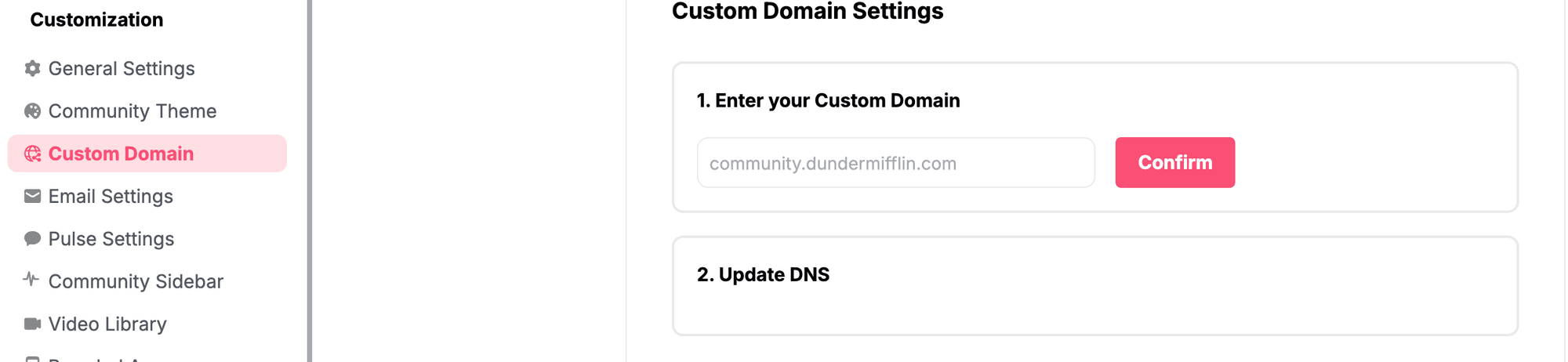
If your community is the product, if the experience is built around connection and conversation Skool is cheaper and it works well. If your community is the container around a program you are actually delivering, like courses, cohorts, structured content, measurable outcomes Heartbeat is built for that and Skool is not. They are solving different problems for different creators, and recognising which one describes you will save you a lot of switching costs.
Among the Skool alternatives I have used, Heartbeat is the closest to Skool’s simplicity with deeper courses. That depth costs more: at $5,000 a month in sales, Heartbeat Grow comes to about $424 against $274 on Skool Pro.
While there are community platforms like Nas.io that work more as an interface for hosted communities or Whop that offer payment interfaces for discord gaming apps, Heartbeat is a Complete Community Platform for those who do not want to have 3 different tools for 3 different purposes.
Heartbeat vs Kajabi
Kajabi is the other all-in-one many coaches consider. It starts at $143 a month billed yearly ($179 monthly) and adds email sequences, funnels and a website builder, while Heartbeat has only basic landing pages. Heartbeat is stronger on community, cohort courses and events. It costs less until sales reach about $2,000 to $2,600 a month, because Kajabi takes no transaction fee on Kajabi Payments. If email marketing and funnels drive your sales, Kajabi is the better fit. If the program and its community are the product, Heartbeat is.
Heartbeat review from other customers
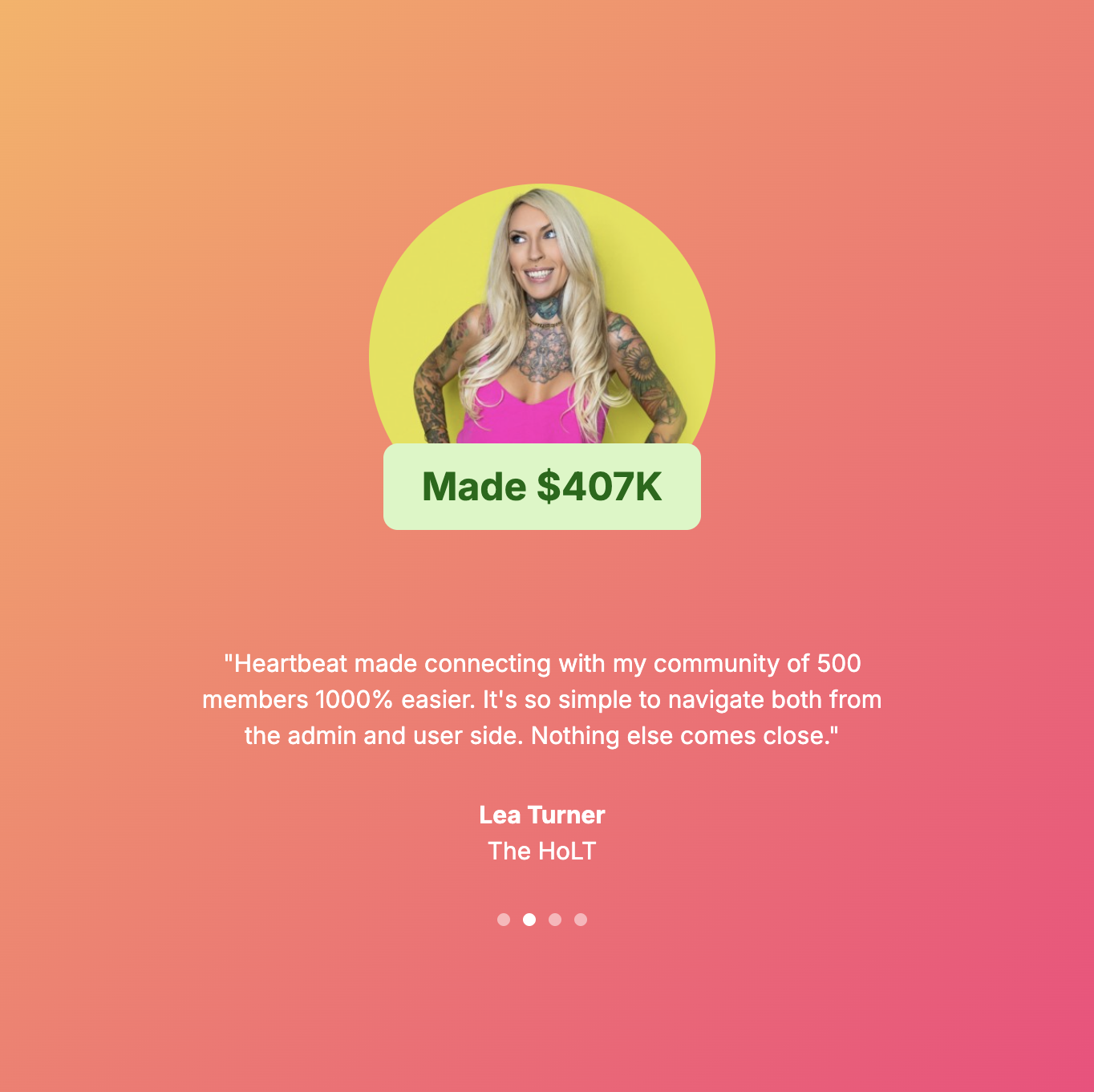
I am not the only one to try the platform. It is worth hearing from people who have actually been running communities on the platform for a while.
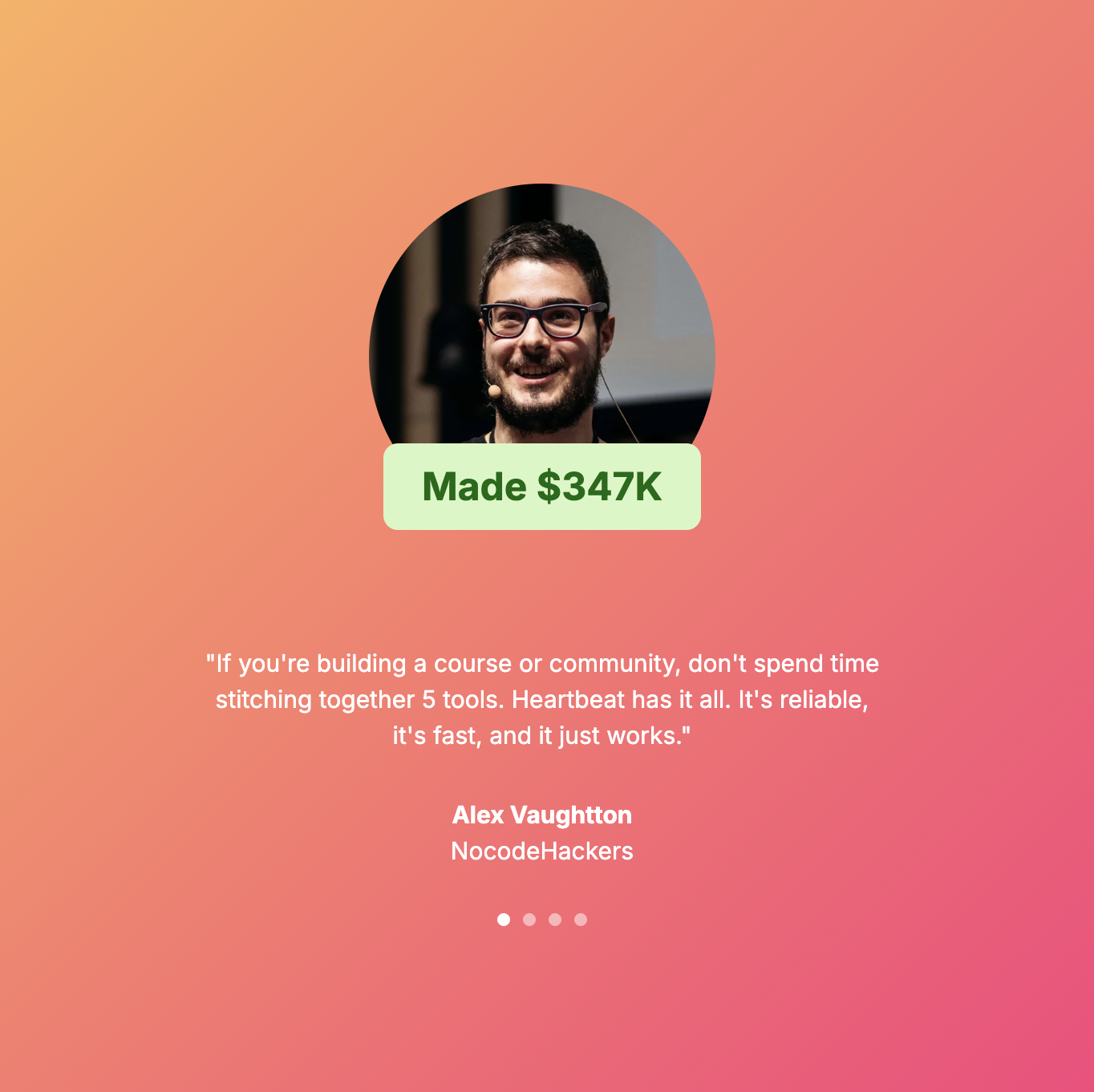
To put quickly, the consistent praise across user reviews is around the product team’s responsiveness and the breadth of what the platform does for its price point.
Heartbeat had their sale on AppSumo. And one user described it as “the best purchase I ever made” specifically because of the team’s transparency and how quickly the product has improved. Another noted that Heartbeat solved six distinct tool gaps in one, replacing Eventbrite for events, Slack for community chat, an LMS for course delivery, and a payment processor, all in one subscription.
Though not everyone is fully happy with it. And I believe it is a good thing. I would be more suspicious of a platform that’s getting constantly praised.
In the early versions, several users have flagged that deactivating a member does not always stop their billing immediately. The offboarding flow in general was also less polished than the onboarding. Some AppSumo lifetime deal holders have also expressed frustration over features moving behind higher tiers. One AppSumo reviewer said live chat support was removed and offered back as a $15/month add-on.
If you are joining it for the first time to build a community, this might not even be relevant to you.
These are not dealbreakers, but they are signs of a platform that is still maturing its operational side while moving quickly on product features. For most creators the day-to-day experience is smooth.
What Genuinely Needs Work at Heartbeat.Chat
Stripe is the only payment processor Heartbeat supports. Stripe is unavailable or significantly restricted in large parts of Asia, South America, Africa, and the Middle East. If your business is based in a country where Stripe does not operate cleanly, you cannot collect membership payments through the platform at all.
You can still use Automation to add people to your community (for example with Pabbly) but the lack of other payment support is definitely challenging for some users. Stripe’s country list is worth checking before you commit.
Video calls inside Heartbeat’s own call rooms cannot be recorded natively. Events set to Zoom work differently: Heartbeat creates the Zoom link and adds the recording link to the event, so members get a replay. For coaches who want a library of call recordings, that means running recorded sessions as Zoom events. It works, but it is an extra tool that should not be needed on a platform this comprehensive.
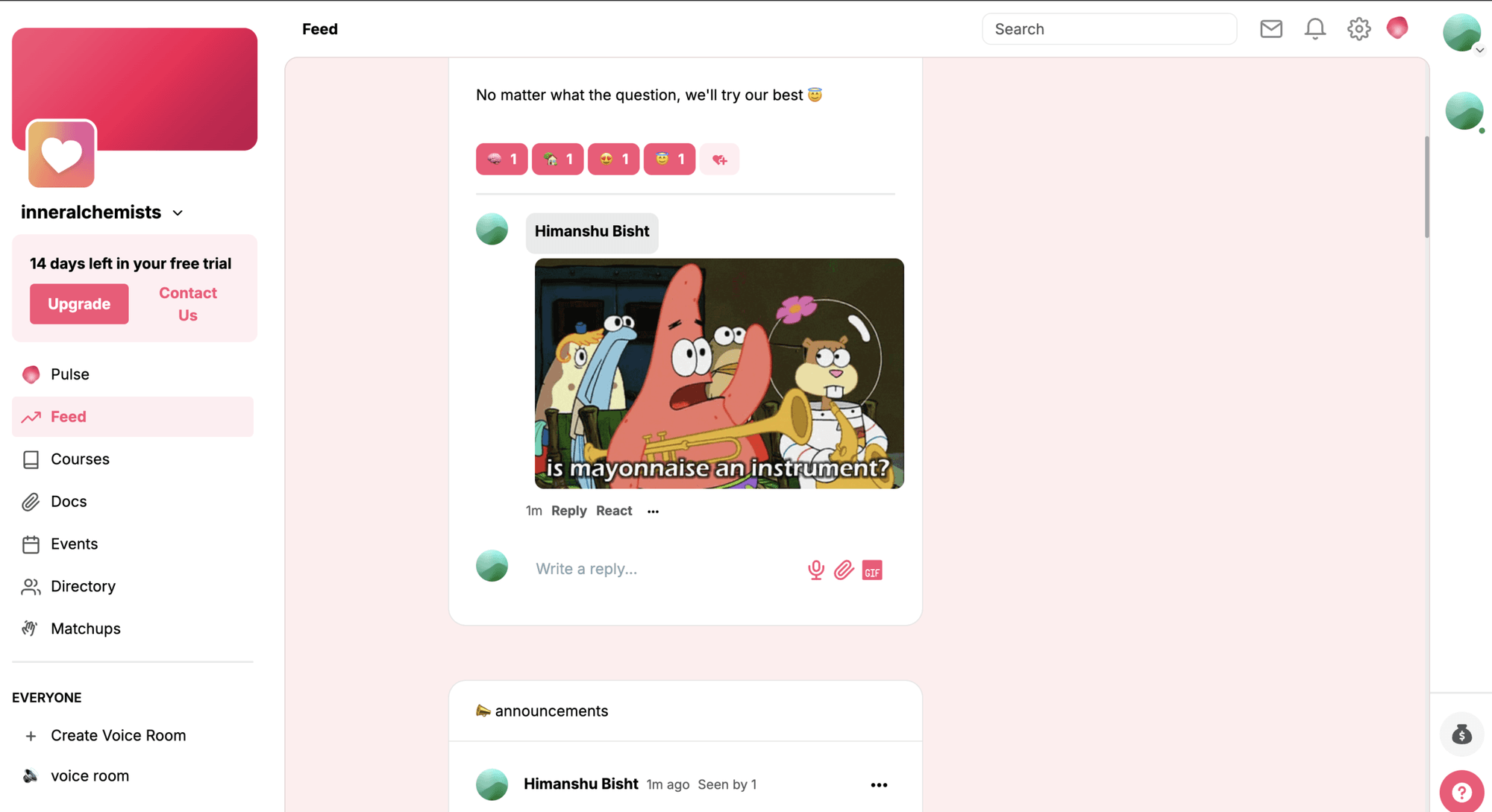
Heartbeat’s community feed is built to be conversational: real-time, chat-forward, moving fast. There are no post titles, no filtering by date, no clean way to surface older discussions when you need them.
However, this appears to be a deliberate choice rather than an oversight, based on a belief that live, active communities generate more engagement than archival forum-style ones.
That argument has merit. But if your community is also a knowledge base. For example, if members need to find a specific resource or discussion from six months ago, the experience gets difficult. That distinction matters depending on what you are building.
Who Is Heartbeat Actually Built For
Not every community platform works for every creator, and Heartbeat is more specific than it sometimes presents itself.
It works best when your core product is a program: an 8-week coaching cohort, a certification course with live calls, a recurring membership that includes structured learning alongside community access.
The kind of creator who needs courses and community to behave like one thing, not two things that are awkwardly bolted together. If that is your model, Heartbeat is one of the better options at this price point, full stop.
I would also say, if you are looking for a cheaper alternative to Kajabi that still offers an “all-in-one community platform”, Heartbeat is a good option for you.
It also works well for creators who are past the “is this a real business” stage but not yet running at scale, somewhere in the 100 to 2,000 active member range, where you need something professional and reliable without committing to a platform that charges $200 a month.
At the Grow tier on annual billing, $124 a month is competitive for what you are getting across courses, events, automation, and community.
The Verdict
Heartbeat is a serious platform. Not a budget Circle, not a stepping stone you leave behind when things get real. For the creator it is actually designed for, someone delivering structured programs and wanting the community experience to live inside the same container. It is genuinely good at what it does, and it has gotten meaningfully better over the last two years.
The operational rough edges around billing and offboarding are real too. You can use other payment processors with Heartbeat’s Zapier or Make integration if Stripe is not an option.
The real competition Heartbeat is solving for is not Circle or Skool or Kajabi. It is the chaos of running five separate tools that do not talk to each other, eroding your time and your margin and making your product feel less coherent than it should.
For most coaches and course creators sitting in that situation, Heartbeat is the most practical answer to that problem available at this price.
Heartbeat FAQ
How much does Heartbeat cost?
Heartbeat’s Build plan costs $49 a month ($40 billed yearly) for up to 350 members, and Grow costs $149 ($124 yearly) for up to 5,000. Scale costs $849 ($766 yearly) with unlimited members. Each plan has a 14-day free trial with no credit card.
What transaction fees does Heartbeat charge?
Heartbeat takes 5% of member payments on Build, 2.5% on Grow and 1.25% on Scale. Stripe’s processing fee, typically 2.9% + 30¢ for US cards, comes on top.
Does Heartbeat have a free plan?
No. Heartbeat offers a 14-day free trial with no credit card. Communities that are not upgraded after the trial are deactivated, and deleted after 30 days of inactivity.
Is Heartbeat cheaper than Circle?
Only for small communities. On yearly billing, Heartbeat Build ($40 + 5%) costs less than Circle Professional ($89 + 2%) until member revenue reaches about $1,600 a month. Above that, Circle’s lower fee makes it cheaper.
Can you record calls in Heartbeat?
Calls in Heartbeat’s own video rooms cannot be recorded natively. Events set to Zoom are different: Heartbeat creates the Zoom link and adds the recording link to the event.
Does Heartbeat accept PayPal?
No. Heartbeat processes member payments through Stripe only, so your business needs to be in a country Stripe supports. Other processors can only add members through automation tools like Zapier, Make or Pabbly.
Is Heartbeat better than Skool?
Heartbeat is better for structured programs: cohort courses, assignments, events and automation. Skool is cheaper and simpler, and its gamification works better for communities where daily participation is the product.
Is Heartbeat a dating app?
No. Heartbeat.chat is a community platform for coaches and course creators. A separate, unrelated dating app also uses the Heartbeat name.
Does Heartbeat have a mobile app?
Yes. Heartbeat has iOS and Android apps for members on every plan, and a white-label app under your own brand on the Scale plan.
The Letter
Get the next article in your inbox.
What I am building, as it happens. The community experiments, launches and numbers behind my own work, including what did not work.
The tools, tested before I recommend them. Short notes on the platforms I try for running communities, courses and email, before they become full reviews.
The inner side of the work. Ideas on focus, meaning and energy for creators who want a business that feels as good as it performs.
Get The Letter in your inbox
One short email, usually weekly. You can unsubscribe any time.
Keep reading
More from Community building.